Skip to content

Store visits, every location’s photos on one map

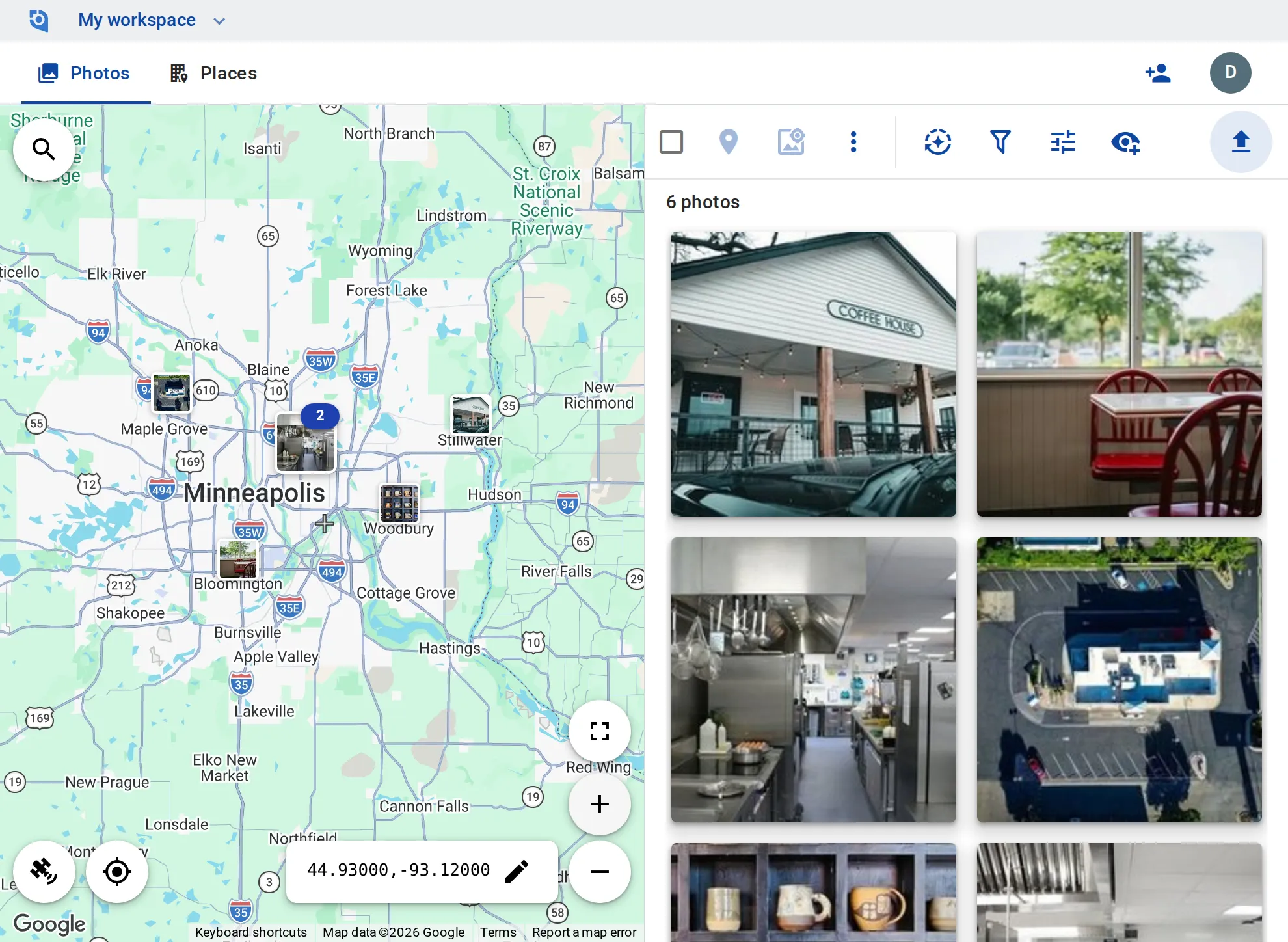
Storefront, dining room, kitchen line, coolers, drive-thru and shelves: area managers and franchisees upload on each visit, and head office sees what every store looked like on the day.
See pricing
GeoTag.com showing stores across the Minneapolis–St. Paul metro on a map, with photos of a storefront, a kitchen line and a drive-thru

Why visit photos matter

Photos buried in visit reports

Visit photos travel inside emails and forms, and seeing how one store’s cooler looked last time means opening old reports.

Which store, which day?

Kitchens and dining rooms look alike across locations, and a photo without its store and date can’t back up a finding.

Was it fixed?

A finding on one visit needs a photo of the fix on the next, and someone has to match the two.

A place per store

Each location is a place linked to its Google listing, with tags such as “Storefront”, “Kitchen”, “Cooler” or “Drive-thru”.

Upload on the visit

Area managers and franchisees upload from the iPhone and Android apps or the browser as contributors, and edit only what they added.

Open findings

Tag what needs a fix “Follow-up”; an editor at head office removes the tag once the fix photo is in, and filtering by it shows the stores with findings still open.

This week’s visits

Filter by how recently photos were added, or by whether you or a colleague added them, and the map shows which stores have new ones.

Store number on the photo

Stamp the date, time and store number onto visit photos, without GeoTag branding on Business.

Into the visit report

Download a store’s photos as one ZIP of up to 1,000 files for the report, or share a single photo by link.

Put every store visit on the map

Contributor and editor roles and stamps without GeoTag branding come with the Business plan: $100 per user a year, from 3 users, with a 14-day free trial.

See pricing

Request an invite

GeoTag is invitation only while we onboard a small group of people before launch. Write to us and we'll get back to you about an invite.

It helps to tell us:

  • what you'd use GeoTag for,
  • roughly how many photos or locations,
  • whether you'll use iPhone, Android or the browser.
hello@geotag.com

Email us