Skip to content

New-home communities, every lot’s progress on the map

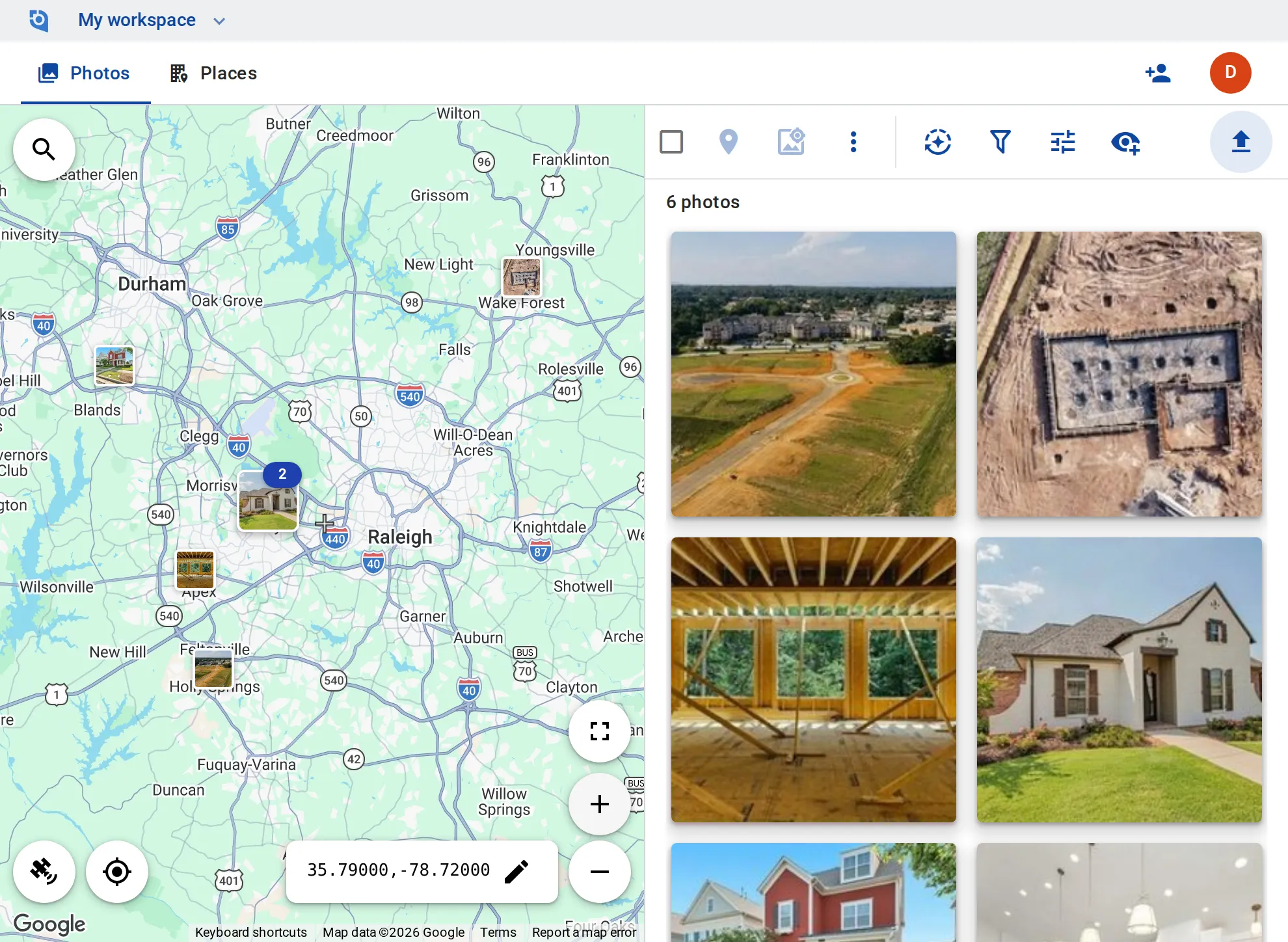
Graded lots, foundations, framing, finished kitchens and the model home: site supervisors upload as they walk the community, and sales and the office see every lot’s photos where it is on the map.
See pricing
GeoTag.com showing new-home communities around Raleigh–Durham on a map, with photos of a new subdivision street, a framed house and a finished model home

Why build photos matter

Buyers want to see their home

A buyer under contract asks how their house is coming along, and finding this week’s photos of that lot shouldn’t take a call to the site.

Lot 14 or lot 41?

Houses on one street look the same at framing, and a photo filed under the wrong lot goes to the wrong buyer.

What is behind the drywall

Once the walls close, photos of the foundation, the framing and the rough-ins are the only way to see what is behind them, years later.

A place per lot

Make each lot, model home or phase a place, with the lot number in its name and tags such as “Foundation”, “Framing” or “Finished”.

Upload straight into a lot

Upload photos into a lot’s place from the iPhone and Android apps or the browser; GPS and capture time come from each photo.

Progress by stage

Filter by a stage tag to see every lot at framing, or by how recently photos were added to see where the work moved this week.

Dated on the photo

Stamp the date, time and lot number onto the photos you send to a buyer or a lender.

Share with buyers

Send a buyer this week’s photo of their home by link, and turn the link off later.

Roles for crew and office

On Business, contributors add and edit their own photos and editors add and edit everything; viewers — free on every plan — view and download.

Put your communities on the map

Contributor and editor roles and 100 GB of storage per user come with the Business plan: $100 per user a year, from 3 users, with a 14-day free trial.

See pricing

Request an invite

GeoTag is invitation only while we onboard a small group of people before launch. Write to us and we'll get back to you about an invite.

It helps to tell us:

  • what you'd use GeoTag for,
  • roughly how many photos or locations,
  • whether you'll use iPhone, Android or the browser.
hello@geotag.com

Email us