Skip to content

Listing photos, filed at the home they show

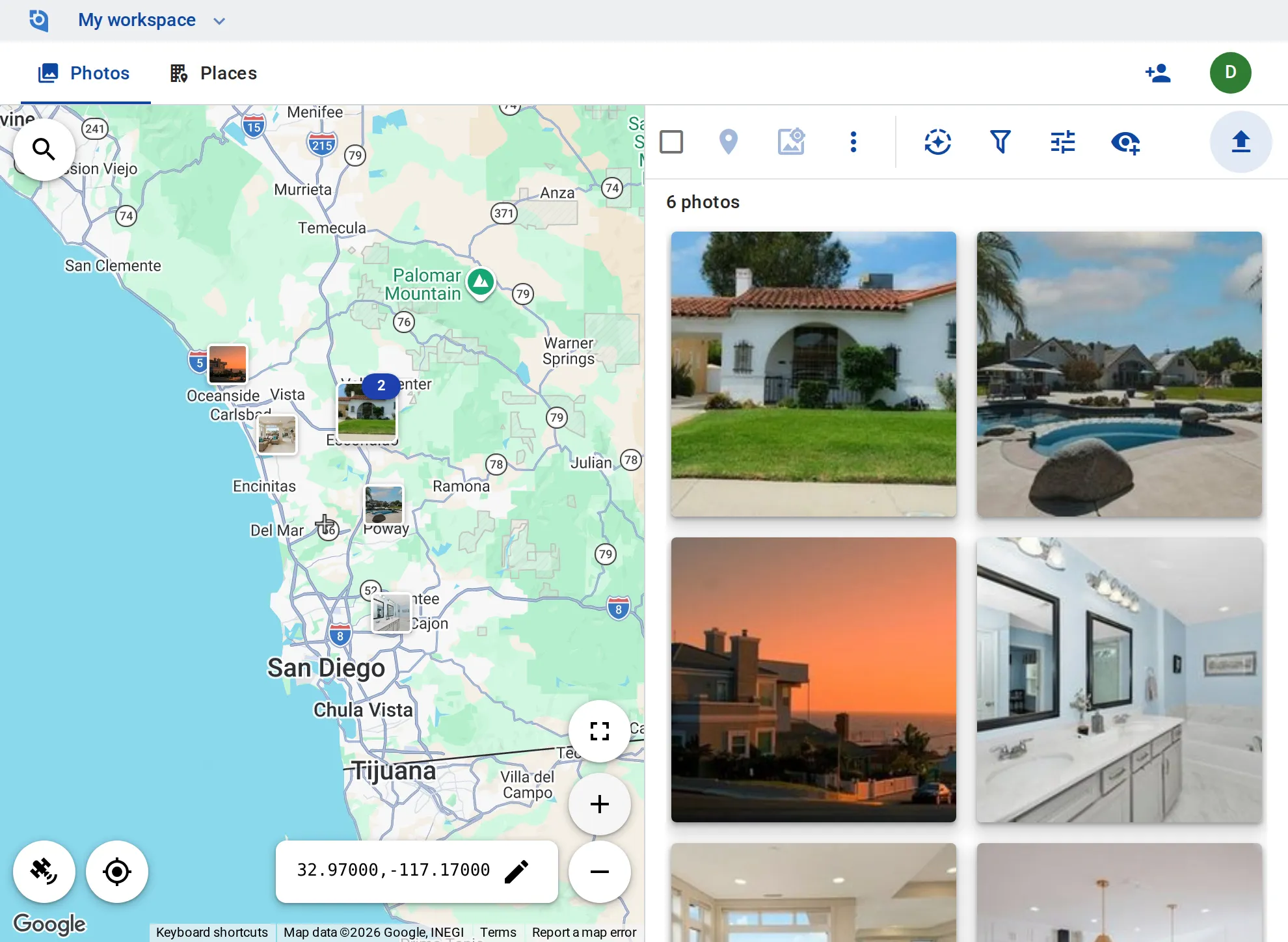
The front, the kitchen, the bathrooms, the pool and the twilight shot: agents and photographers upload, every photo lands at its listing on the map, and the set goes out resized and without the home’s GPS.
See pricing
GeoTag.com showing homes for sale across San Diego County on a map, with photos of a Spanish-style house, a staged living room and a backyard pool

Why listing photos matter

Every kitchen looks alike

A team with many listings has many white kitchens, and without the address on the photo the wrong one ends up in a listing.

The home’s position in the file

Photos straight from a phone or a drone carry the exact GPS position of the home, which a seller may not want in every copy online.

A size for every site

The listing site, the brochure and social posts each want their own size and format, and resizing a shoot photo by photo takes the afternoon.

A place per listing

Each listing is a place on the map with its photos, the address in its description and tags such as “Coming soon”, “Active” or “Sold”.

Resize and convert in batch

Resize a whole shoot and convert it to JPEG or WebP in one go; GeoTag never enlarges a photo.

No GPS in the public copies

Strip the GPS and camera data from the copies you download, while the photos you keep stay on the map.

Share with sellers

Send a seller a photo by link, and turn the link off when the listing is live.

Drone and twilight video

Drone flyovers and twilight walkthroughs sit on the map at the listing with its photos — up to 30 minutes each on the Business plan.

Agents and photographers

On Business, agents and photographers add and edit their own photos as contributors, the office edits everything, and viewers are free.

Put your listings on the map

Contributor and editor roles and 100 GB of storage per user come with the Business plan: $100 per user a year, from 3 users, with a 14-day free trial.

See pricing

Request an invite

GeoTag is invitation only while we onboard a small group of people before launch. Write to us and we'll get back to you about an invite.

It helps to tell us:

  • what you'd use GeoTag for,
  • roughly how many photos or locations,
  • whether you'll use iPhone, Android or the browser.
hello@geotag.com

Email us