Skip to content

Move-in and move-out, every room of every unit, dated

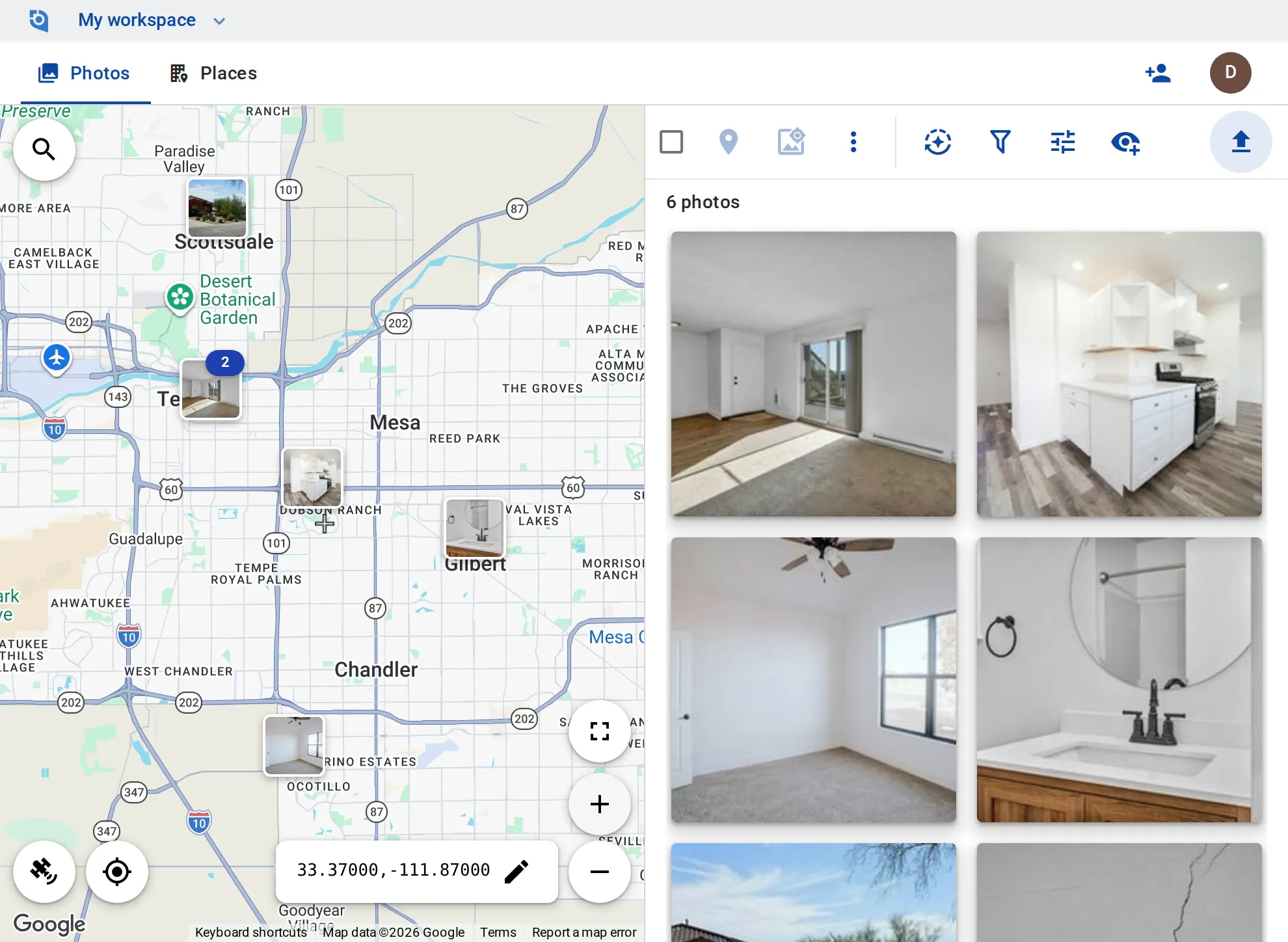
Living room, kitchen, bath, bedrooms, walls and the yard: the property manager photographs each unit at move-in and again at move-out, and both sets sit at the property on the map, with the date they were taken.
See pricing
GeoTag.com showing rental homes across the Phoenix metro on a map, with photos of an empty living room, a kitchen and a cracked wall

Why condition photos matter

Was it like that before?

At move-out, a stained carpet or a damaged wall turns into a question of when it happened. Dated photos from move-in show what the room looked like then.

Many units, one camera roll

A manager with units across town photographs every turnover, and finding one unit’s move-in set months later means scrolling by date.

Tenants and owners ask too

Tenants want the move-in photos, and owners want to see the state of their property, so the right set has to be easy to send.

A place per unit

Make each house or unit a place, and tag each room set “Move-in” or “Move-out” as you upload it.

Photograph room by room

Upload from the iPhone and Android apps or the browser; GPS and capture time come from each photo, and the time shown is the local time at the property.

Date and unit on the photo

Stamp the date and time, coordinates and the unit number onto a whole room set at once.

Pull up a unit’s set

Open a unit’s place to see its photos, or zoom the map to a property and filter by “Move-in” or “Move-out” together with how recently the photos were added.

Hand the set over

Download a unit’s photos, stamped, as one ZIP of up to 1,000 files, or share a single photo by link and turn the link off later.

Originals kept

On Business, GeoTag keeps each original file untouched; stamps, resizing and metadata go into the copies.

Put your units on the map

Contributor and editor roles and original files kept come with the Business plan: $100 per user a year, from 3 users, with a 14-day free trial.

See pricing

Request an invite

GeoTag is invitation only while we onboard a small group of people before launch. Write to us and we'll get back to you about an invite.

It helps to tell us:

  • what you'd use GeoTag for,
  • roughly how many photos or locations,
  • whether you'll use iPhone, Android or the browser.
hello@geotag.com

Email us