Everything GeoTag does, from upload to hand-over
Upload from your phone or computer, find everything on the map, fix and stamp locations, and hand photos over as ZIPs, share links or Google Business Profile posts.
Upload & storage
Photos and videos from your phone or computer, with their GPS read on upload.
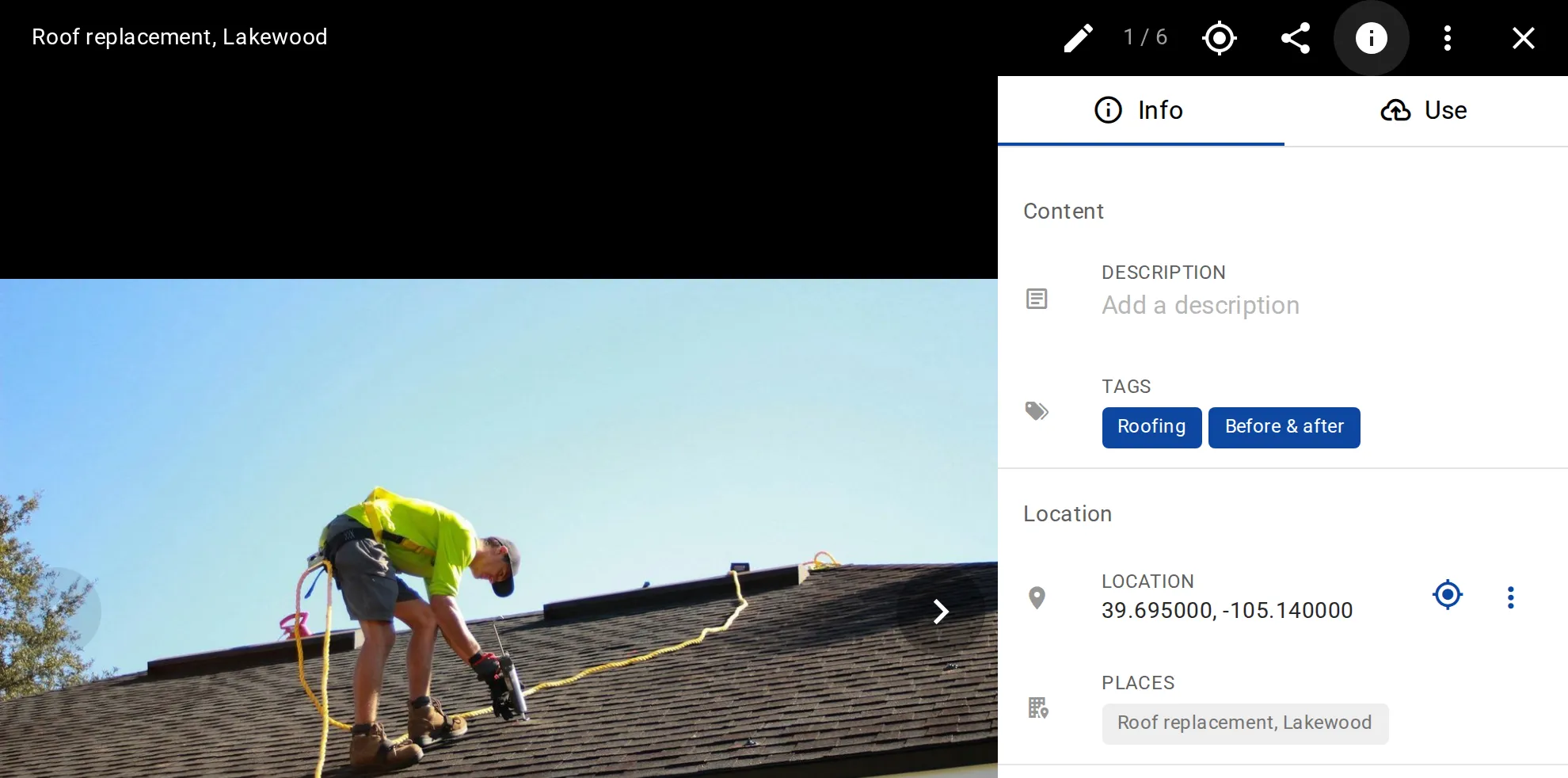
Photos and videos
Upload JPEG, PNG, GIF, HEIC and WebP photos up to 250 MB each, and MP4, MOV, M4V and WebM videos up to 3 GB. Video length depends on the plan: 10 seconds on Free up to 30 minutes on Business.GPS read on upload
GPS, capture time and camera data come from each file, so a photo with GPS lands on the map by itself. A photo taken moments ago without GPS can take your device’s location.Duplicates skipped
A photo already in the workspace is skipped, mostly before anything is sent, so picking a whole camera roll again costs almost no data.Sizes for every screen
Every photo gets 10 sizes, from 25 px thumbnails to 2560 px, so the map and the gallery load fast.Original files
Business keeps your uploaded files untouched, in their original format. The other plans keep each photo as a full-resolution JPEG and each video as a web-optimized copy, with the metadata of the file you uploaded.Map & organize
Everything on the map, grouped into places, and found again by tag, date or location.
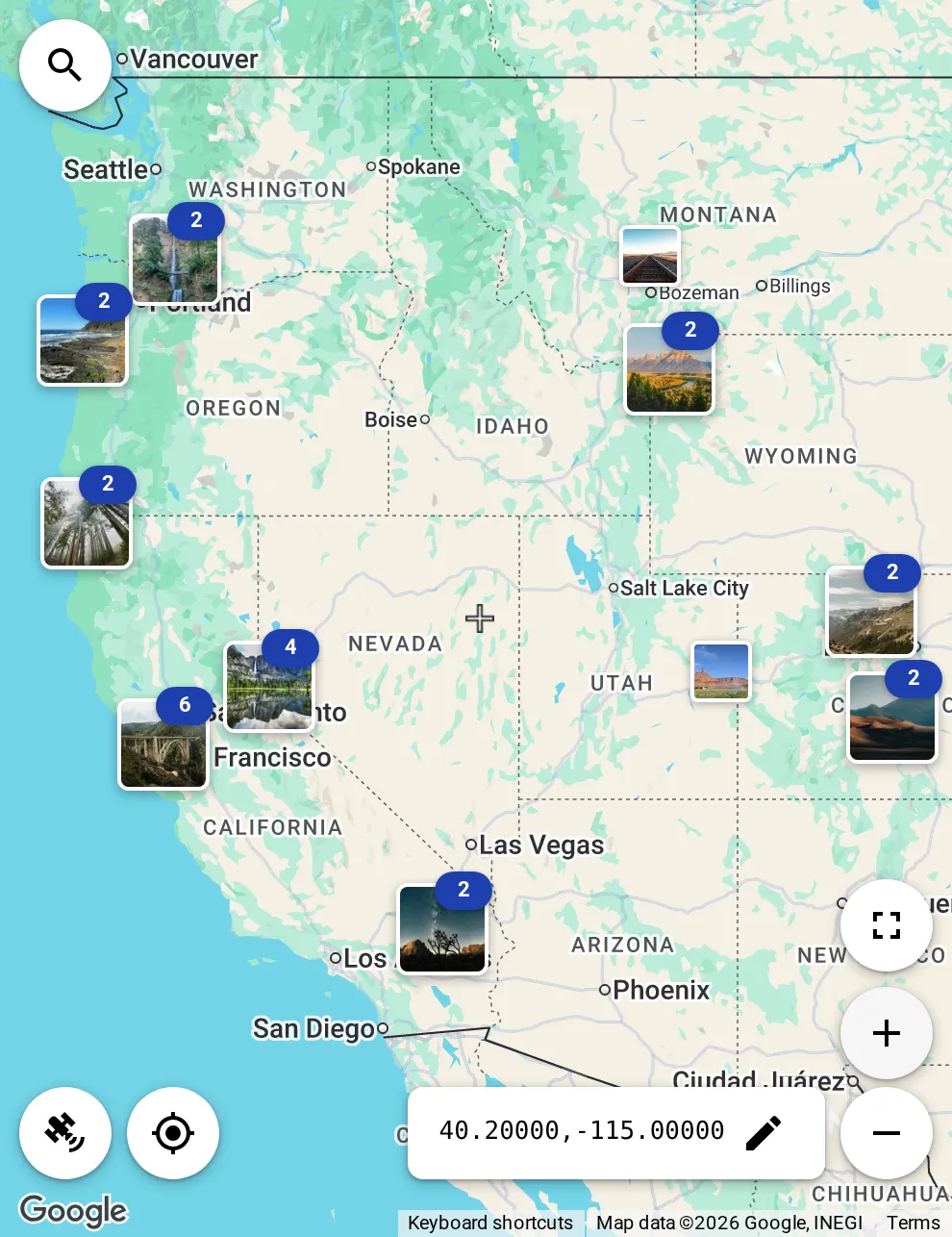
The map
Photos and places on Google Maps, grouped into clusters as you zoom out. Switch between road map and satellite.Places
Group photos into places, each with a name, description, tags and an icon. AI icon suggestions: 20 a day on Free, 100 a day on paid plans.Search your library
Find your places and photos by name, file name or description, from the search on the map.Google place search Paid plans
Find any business or landmark on Google Maps, then add it as a place or link one of yours to it.Filters
Filter by tags, by created or updated within the last 1–365 days, by me or others, by geotag status, visibility and place assignment.Sort and map area
Sort photos 9 ways and places 7, by date, name or distance from the map center. Let the list follow the map, show everything, or only what is in view.Edit & process
Set locations, stamp, resize and convert one photo or a whole selection, and write the metadata into the files you download.

Set or fix GPS
Drag a photo’s marker to the right spot. Or move the map to typed coordinates, a place or your current location, and geotag a whole selection to its center.Batch processing
Select many photos and geotag, tag, process, download or delete them at once, on every plan. On Free and Personal, each processed copy that keeps its metadata counts toward the daily EXIF limit.Photo stamping
Stamp coordinates, date and time, and your own text onto photos and videos; on video the stamp stays for the whole clip. Business can leave off the GeoTag branding.Write EXIF metadata
Write GPS, description, keywords and date into the processed copies you download: 5 photos a day per workspace on Free and Personal, unlimited on Business.Convert and resize
Save photos as JPEG, WebP, PNG or HEIC with a maximum size, never upscaled. Videos come out as MP4 at 720p, 480p or 360p.See and strip metadata
Compare a photo’s EXIF data before and after processing, or strip it all before a photo leaves your hands.Share & publish
Hand photos over as ZIPs and links, export your places for Google Earth, or post photos to Google Business Profile on Business.
ZIP downloads
Download photos as stored or as processed, up to 1,000 files or 4 GB in one ZIP.Share by link
Give a photo its own page and send the link. Turn it off when it’s no longer needed.Google Earth export
Export your places as a KMZ file for Google Earth and other GIS tools.Google Business Profile Business
Connect the Google account that manages your profiles and post a photo with text and an optional button: now, scheduled, or as an event. Google publishes scheduled posts. No limit on locations.Host photos for your website Business
Put processed photos at lasting public URLs and embed them on your own site. Stop hosting at any time.Team
Free read-only viewers on every plan, and roles for the people who add and edit on Business.
Free viewers
Share a workspace read-only with as many people as you like. Viewers see and download, and change nothing. On every plan.Contributors and editors Business
Contributors add items and edit their own; editors add and edit everything. The owner runs members, billing and the Google connection.Who did what
Filter by who created or last updated a photo or place: me or others.Who may post Business
The owner chooses which editors and contributors may post to Google Business Profile.Private by default
Photos are shown through signed links that expire. Nothing is public until you share a link, host a photo or post it to Google Business Profile.Apps & API
The browser, the iPhone and Android apps, and an API and MCP endpoint for your own tools.
Web app
Runs in the browser and installs as an app on your computer or phone. It needs a connection and syncs every 60 seconds while open.iPhone and Android apps
Upload from the camera or the gallery. Uploads keep running while the screen is locked, and photos keep their location once you allow the app to read it.REST API
Create personal API tokens, read-only or read and write, for scripts and the command line. A token never does more than your role allows. On every plan.MCP endpoint
Connect AI assistants and other MCP clients to your workspace’s MCP endpoint with the same tokens. On every plan.See it with your own photos
GeoTag is invitation only before launch. Tell us what you’d use it for, and we’ll get back to you.