Skip to content

Trail damage, pinned where the crew will find it

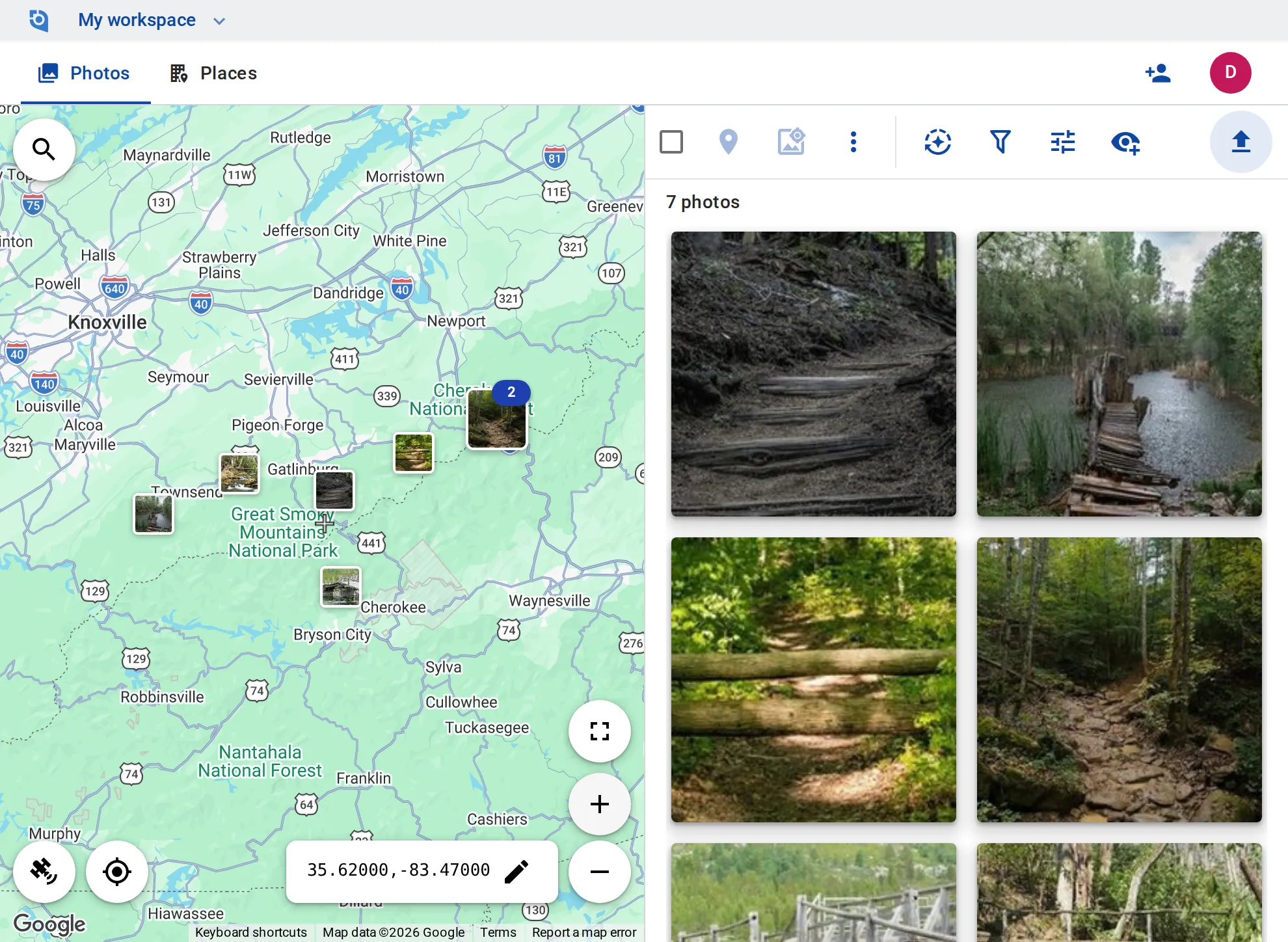
A tree across the trail, a broken step, a rotten boardwalk plank: rangers photograph it on their rounds, and the maintenance crew sees it on the map at that spot.
See pricing
GeoTag.com showing trails in the Great Smoky Mountains on a map, with photos of a fallen tree, broken stairs and a boardwalk

Why trail photos matter

“Somewhere past the second bridge”

A report without a location means the crew hikes out to look for the damage before they can fix it.

What to bring

A photo shows whether the job needs a chainsaw, lumber for a step or a whole boardwalk section, before the crew sets out.

Before and after, for the budget

Budgets, grants and annual reports ask what was repaired. Photos of the same spot before and after the work make the case.

Photograph now, upload later

GeoTag needs a connection to upload; the phone camera doesn’t. Photos keep their GPS and capture time, so when you upload back in coverage — from the iPhone or Android app — each lands where it was taken.

A place per trail or structure

Make each trail, bridge, boardwalk or stairway a place, with tags such as “Tree down”, “Stairs” or “Fixed”.

What is still open

Filter by tag to see what still needs work, and the map shows only those spots; sort by distance from the trailhead you center the map on.

Before and after

Zoom to a bridge or a boardwalk and sort the photos in view by date taken to see the damage and the repair one after the other.

Stamped for reports

Stamp coordinates, date and time onto photos, and download a trail’s photos as one ZIP for a report or a grant application.

Rangers, crews and partners

On Business, rangers and crew leads add and edit their own photos as contributors and editors manage everything; partners can view for free.

Put your trails on the map

Contributor and editor roles and unlimited EXIF writing come with the Business plan: $100 per user a year, from 3 users, with a 14-day free trial.

See pricing

Request an invite

GeoTag is invitation only while we onboard a small group of people before launch. Write to us and we'll get back to you about an invite.

It helps to tell us:

  • what you'd use GeoTag for,
  • roughly how many photos or locations,
  • whether you'll use iPhone, Android or the browser.
hello@geotag.com

Email us